'via Blog this'
QtDesigner and qGLWidget
Creating OpenGL application in Qt can be sometimes really painful. Especially when you need to design additional widgets into main form along with qGLWidget. Of course it all can be done by typing ‘by hand’ all positions, sizes and properties, but it takes a lot of time.
Qt offers a really handful application called qtDesigner. It’s additional module with support programmers in creating GUI. But it doesn’t offer qGLWidget, so basically you cant place it onto a form within Designer.
Qt offers a really handful application called qtDesigner. It’s additional module with support programmers in creating GUI. But it doesn’t offer qGLWidget, so basically you cant place it onto a form within Designer.
After trial and errors, few cups of coffee and cigarettes I found a ‘solution’ how to place it where I want.
What i did was adding additional widget, in this case GLWidget, into ‘layout’ that was on a main form.
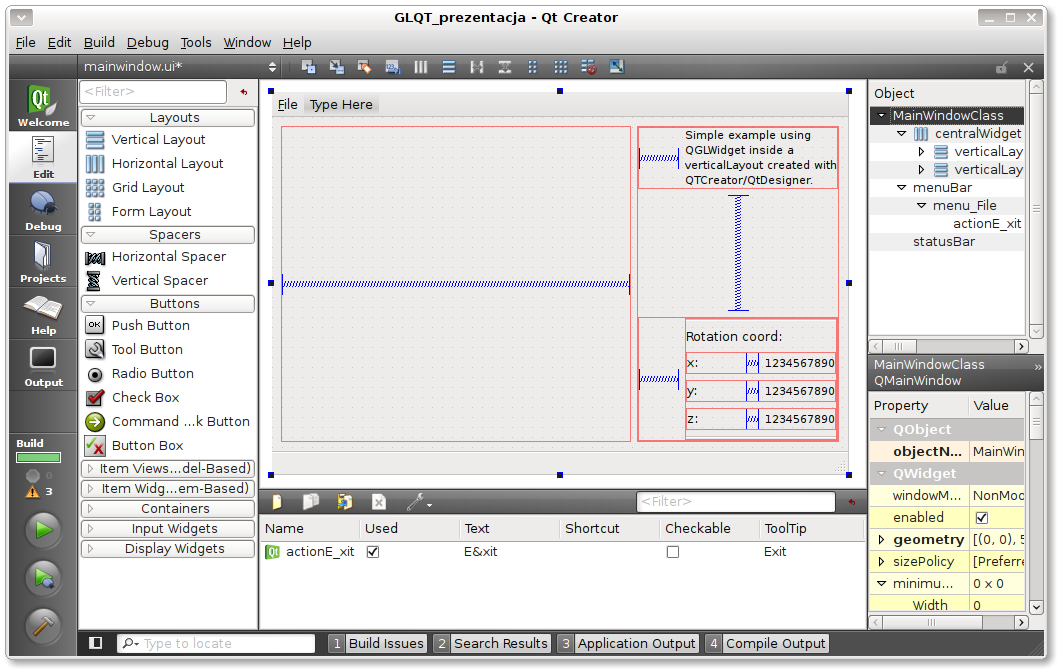
Horizontal spacer inside ‘layout’ is for expanding OpenGL ‘window’, when main form size change.
glWidget = new GLWidget;
ui->verticalLayout_2->addWidget( glWidget );
ui->verticalLayout_2->addWidget( glWidget );
In the end I end up with OpenGL widget in left side of main form.
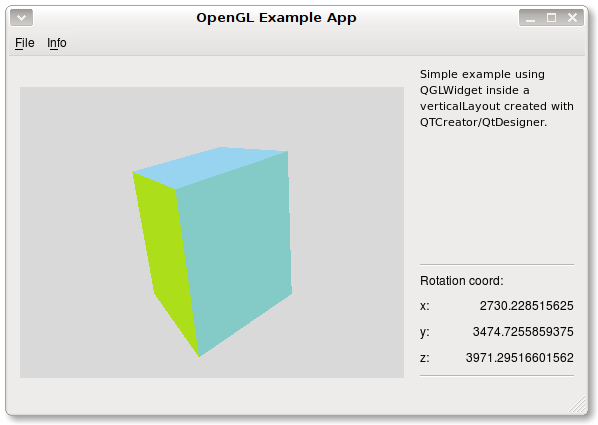
As you can see i also implemented two timers, one for glWidget and other one for updating text in labels on main form. Also some GUI elements, like ‘Info’ menu are created by ‘hand’.
Source code for this ‘example’ can be found here.
I hope someone will find these information useful.


没有评论:
发表评论